
How do I update email preferences or unsubscribe?
If you feel overwhelmed by the number of emails you're receiving and want to unsubscribe, we totally understand. A full inbox can be daunting!
To modify the types of emails you receive, please visit your Members Lounge and select Alert Settings. From there, you can edit and manage the types of emails that matter most to you. There are four email notification toggles (depending on your membership level) and one in-app push notification setting that you can switch on or off:
- Flights via Email: These are the meat and potatoes of Jack's Flight Club. If you're a paid member receiving too many Flights, and you're tempted to switch them off, it might be because you have too many airports set. You can update your airport preferences by following this guide.
- Takeoff Roundups: For paid members, these are weekly emails consisting of all your Flight Guides and Getaway Flights grouped in one email, all based on your Flight settings. If you're receiving too many Flight emails, simply enable this and turn off Flights via Email.
- Detour Newsletter: The Detour is a special email sent to all members, tailored to each region we cover, providing relevant news, helpful tips and amazing travel inspirations.
- Jack's Flight Club Updates: These are our product emails sent periodically. They range from updates on The Club and new product features to promotional messages about special membership offers.
- Flight Tips: These are the Flights you would usually receive via email; the only difference is that these are only sent through the app as push notifications.
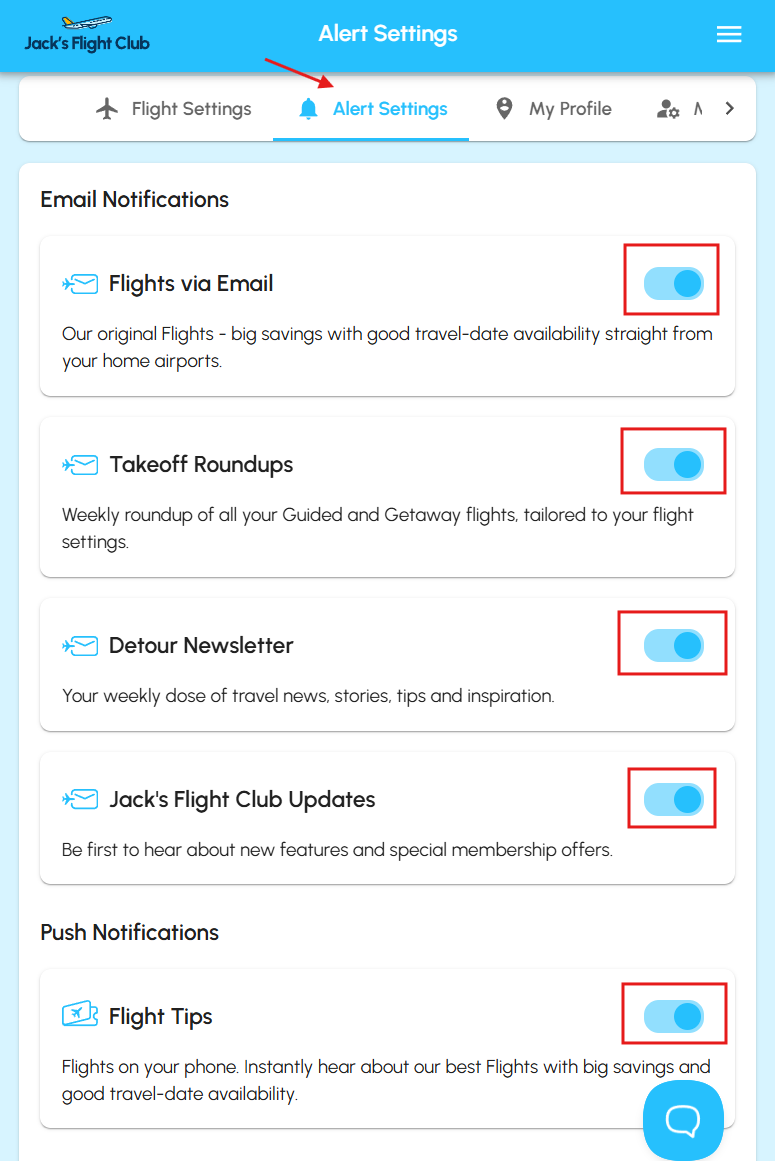
To toggle any of these options, simply click the slider to turn them on or off. If the slider is blue, you'll receive emails; if it's greyed out, you won't receive those updates. After you've made your selections, click Save at the bottom of the page, and you're all set!
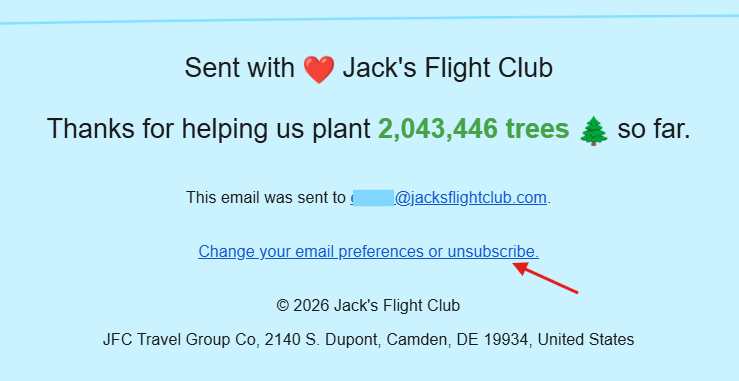
If you decide to unsubscribe and stop receiving emails permanently, you can do so by clicking the unsubscribe option found in the footer of our emails. Once you click it, you’ll be redirected to a page where you can update your preferences.
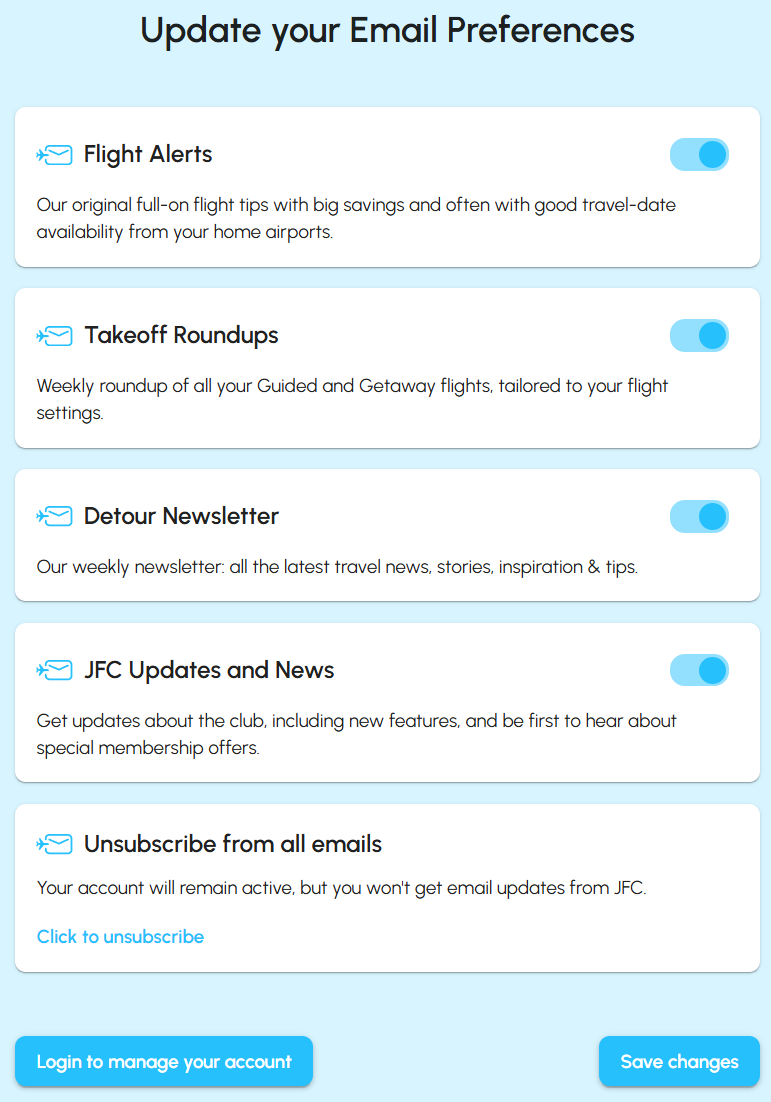
Please keep in mind that if you're a paying member, unsubscribing will not cancel your paid subscription. You can find information on how to cancel your membership in our cancellation guide.
Note 1: It may take up to 24 hours for any emails already in the queue to be sent, so you might still receive a few emails the following day after unsubscribing. If you want to permanently delete your account, please follow the guide here.
Note2: For paid members, to minimise the emails you receive from us, use our app, which lets you stop emails and receive push notifications instead. You can download the app here: Android / iOS.